Watching Raspberry TV on Multiple Devices
Raspberry TV supports simultaneous viewing on up to 2 devices. To watch on both devices at the same time, they must be connected through the same public IP address.
If the device limit is exceeded, or your connection changes between different public IP addresses too quickly, streaming may be temporarily restricted. The restriction lasts 4 minutes and is removed automatically.
What can trigger a temporary block?
Raspberry TV checks the public IP address used for each viewing session. A temporary restriction may be triggered when the system detects several connections that appear to come from different networks or locations within a short period of time.
This can happen, for example, when:
- two devices are streaming through different internet connections;
- you switch between Wi-Fi and mobile data;
- a VPN is enabled or disabled while watching;
- you change your VPN location or server;
- you stop watching on one network and immediately start again on another.
Some internet providers and VPN services may also change your public IP automatically. As a result, even when you are using the same device, several IP addresses can appear within a short period.
Checking your viewing history
If you receive a temporary block and are unsure what caused it, you can review the viewing logs for the relevant user in your Raspberry TV account.
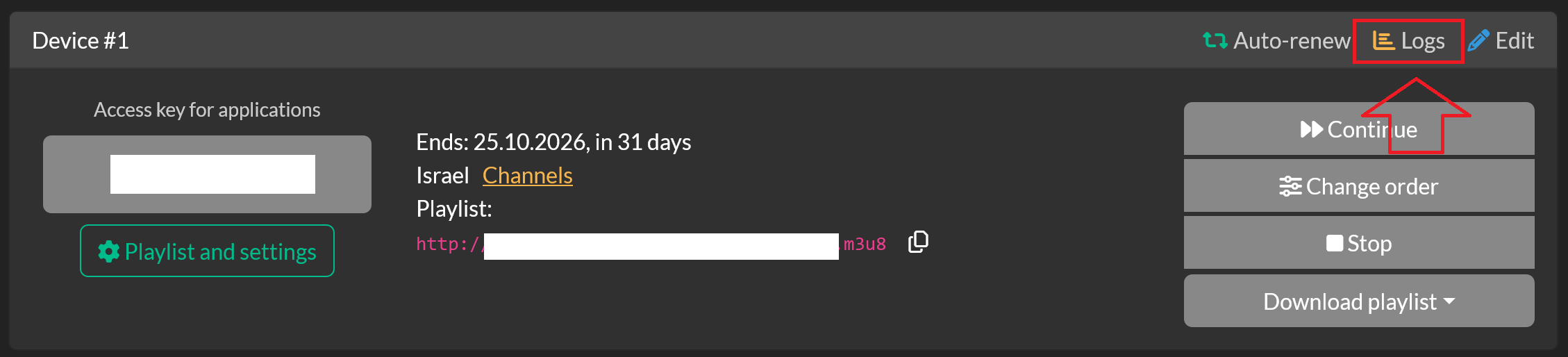
The logs provide information about recent viewing sessions, including the date and time, public IP address, connection details, and whether the connection was accepted or blocked.
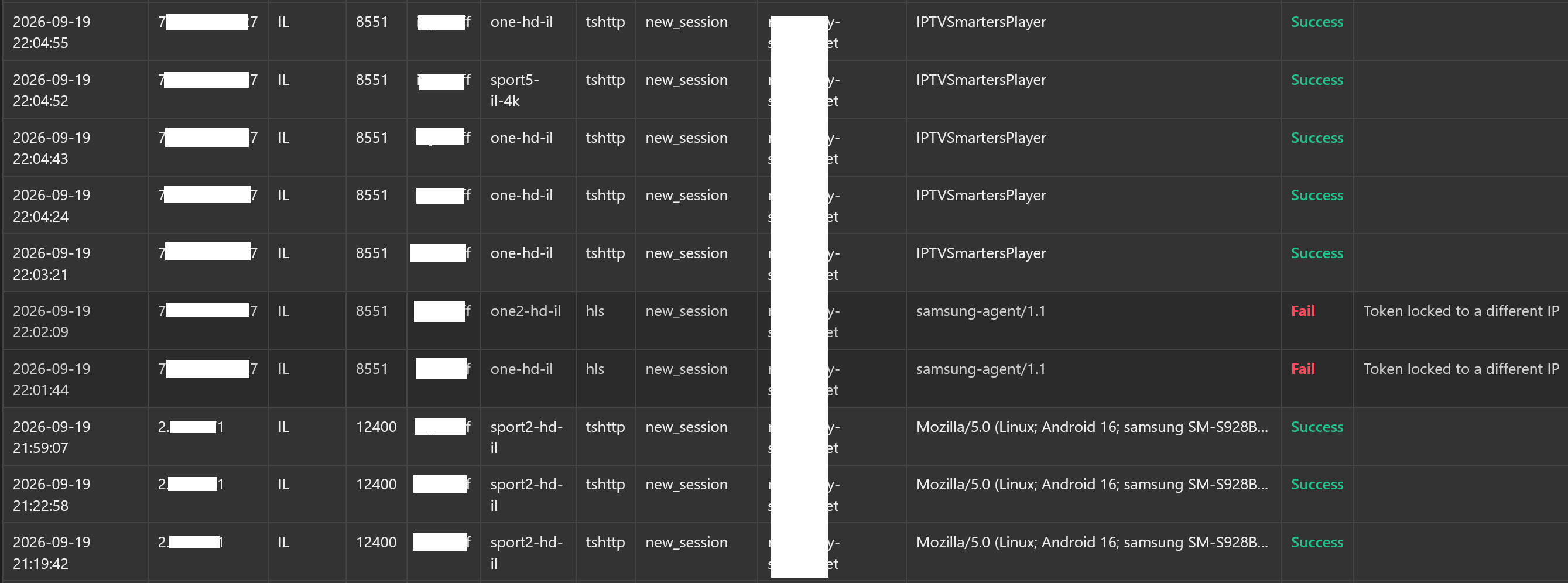
Look for different public IP addresses appearing close together. If you notice frequent IP changes, check your network connection and, if applicable, your VPN settings.
Restoring access
In most cases, you don't need to change anything in your Raspberry TV account.
Stop playback on all devices and wait 4 minutes. Once the temporary restriction expires, you can start watching again.
To prevent the issue from happening again:
- keep both devices on the same internet connection when watching simultaneously;
- avoid switching networks during playback;
- if you use a VPN, stay connected to the same VPN server throughout your viewing session.
Device and connection limits
You can set up Raspberry TV on multiple devices. However, no more than 2 devices can stream simultaneously, and both active devices must use the same public IP address.
If playback continues to be blocked and the viewing logs don't explain why, contact Raspberry TV support. Let us know approximately when the problem occurred so we can identify the relevant connection and investigate it.